Turn the world down.
Let the music in.
Less to set. More to enjoy.
Pick a favorite album. Make a cup of tea.
Leave the complicated settings to us.
01 / YOUR MUSIC, BEAUTIFULLY
More than
a collection of files.
Moments you want to hear again.
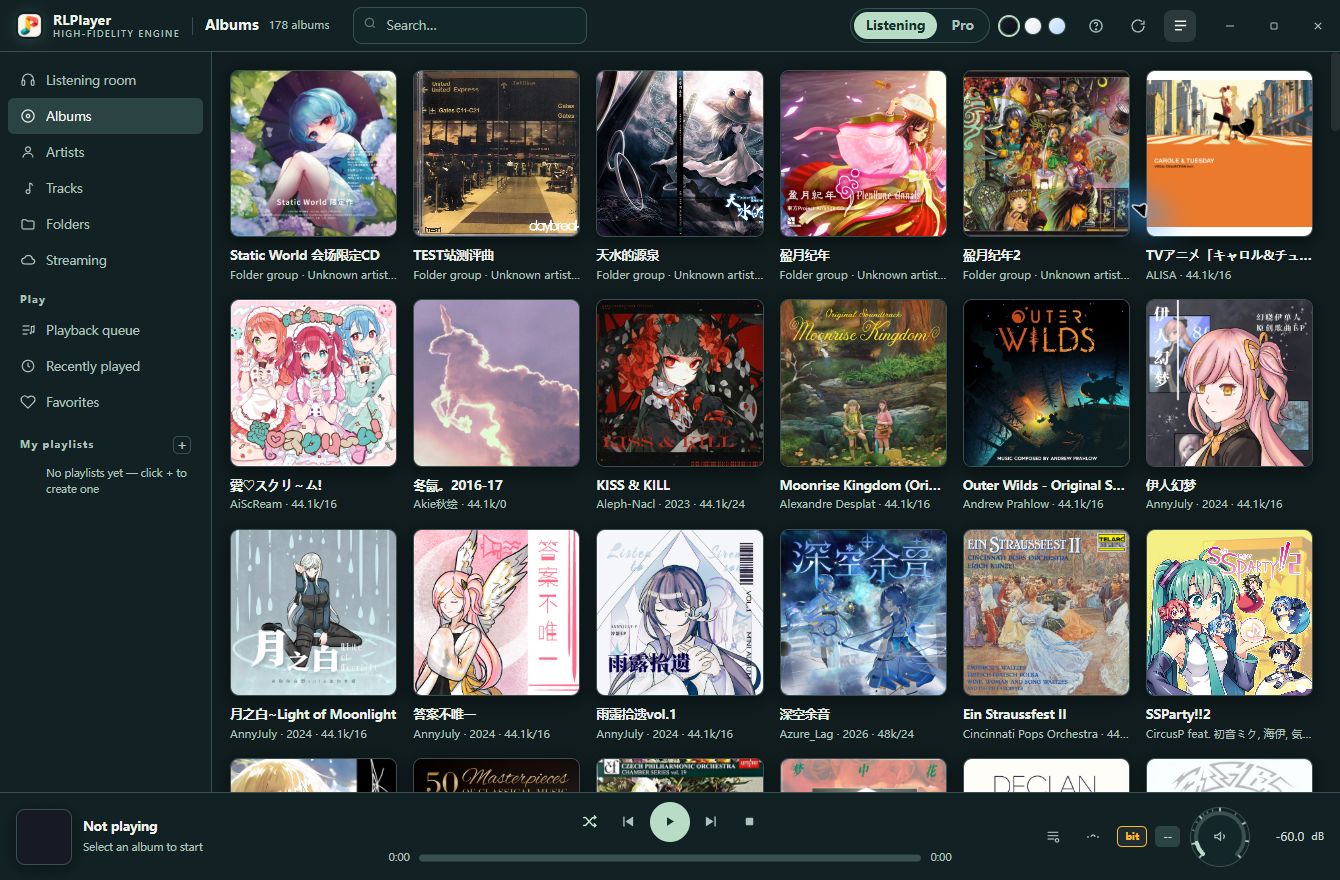
Familiar covers, lyrics at just the right moment, and the artists behind the music. RLPlayer gathers the details automatically, bringing your library to life.
online servicesFor covers, lyrics and music information
02 / SIMPLY YOUR PREFERENCE
Choose what you love.
We’ll take care of the rest.
RLPlayer detects what your selected device supports and sets up playback accordingly. Just choose your music and a listening style you enjoy.
- 01
Connect and select your device
Connect your headphones or speakers, then select them in the app.
- 02
Choose a listening style
Gentle, Balanced or Crisp—the choice is yours.
- 03
Pick a track and press play
No technical settings to learn. Just enjoy the music.
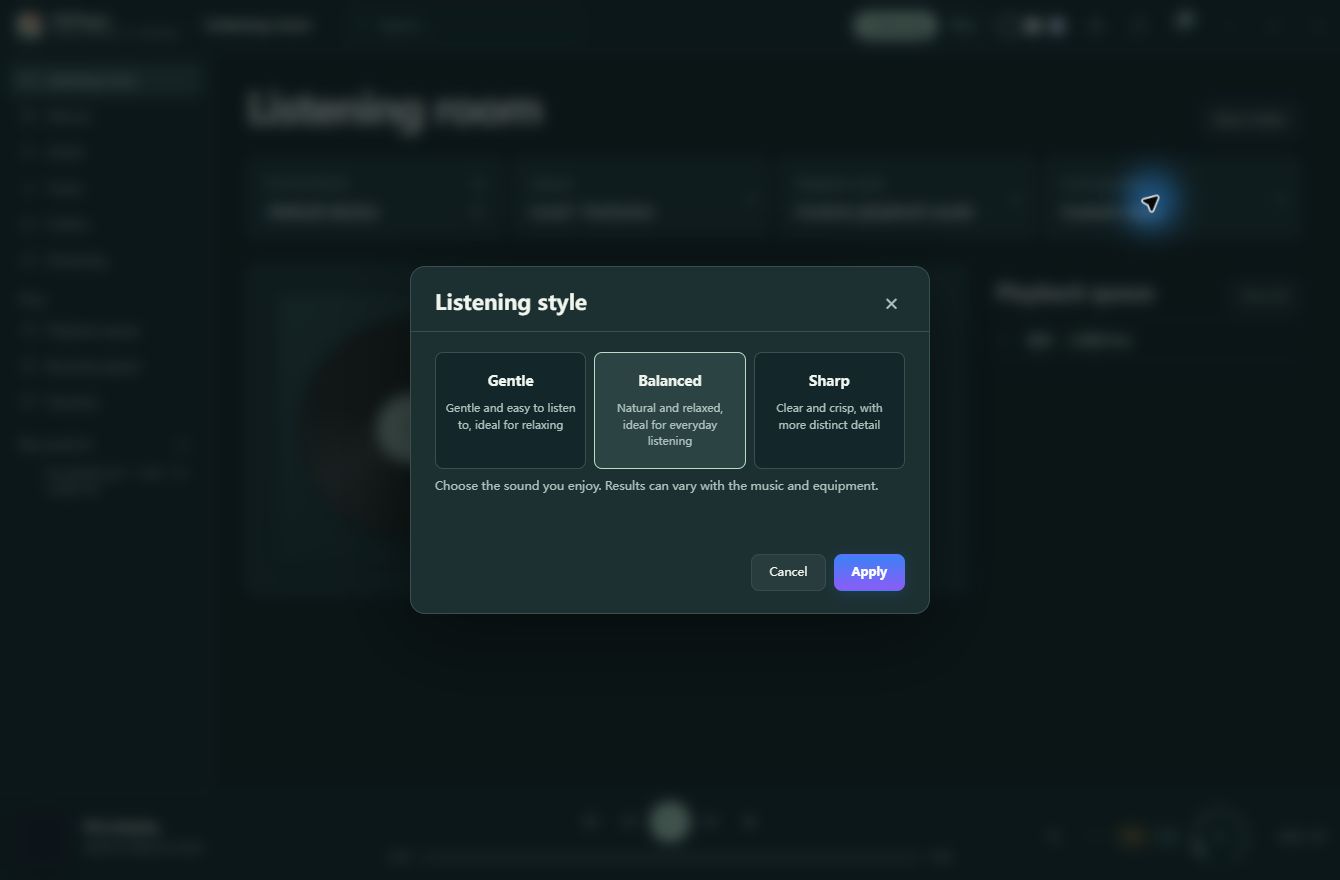
Natural and open, ideal for everyday listening. Choose a style you enjoy; the app matches the playback settings.
Silent style preview. The screenshot above shows Balanced in the app.
03 / MAKE ROOM FOR MUSIC
Make a little time.
Just listen.
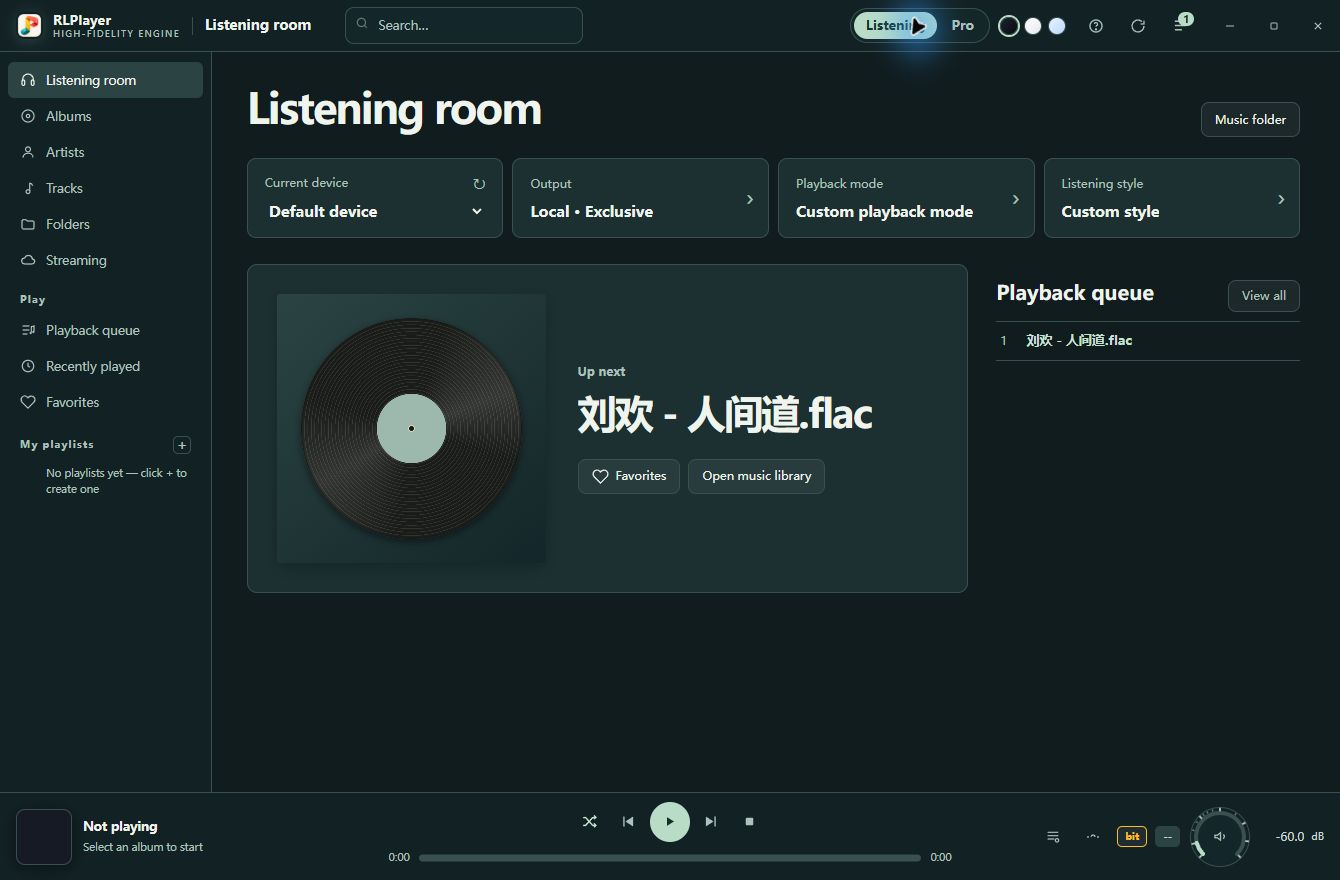
A deep-green listening room with space to breathe.
From the first track, settle into your own rhythm.
PROFESSIONAL MODE / 3.3
Every part of your sound.
Defined by you.
Four complete setups. One click to switch.
Keep different setups for different music and dedicated outputs for different hardware. Switch between four independent configurations for output, upsampling, filters and saved EQ.
YOUR MUSIC.YOUR REFERENCE.
- Output device 01
- Desktop DAC
- Upsampling 02
- PCM 384 kHz
- Filter 03
- poly-sinc-short-lp
- EQ setup 04
- Unaltered sound
01 / A COMPLETE SETUP, REMEMBERED
Your entire setup, saved in A—D.
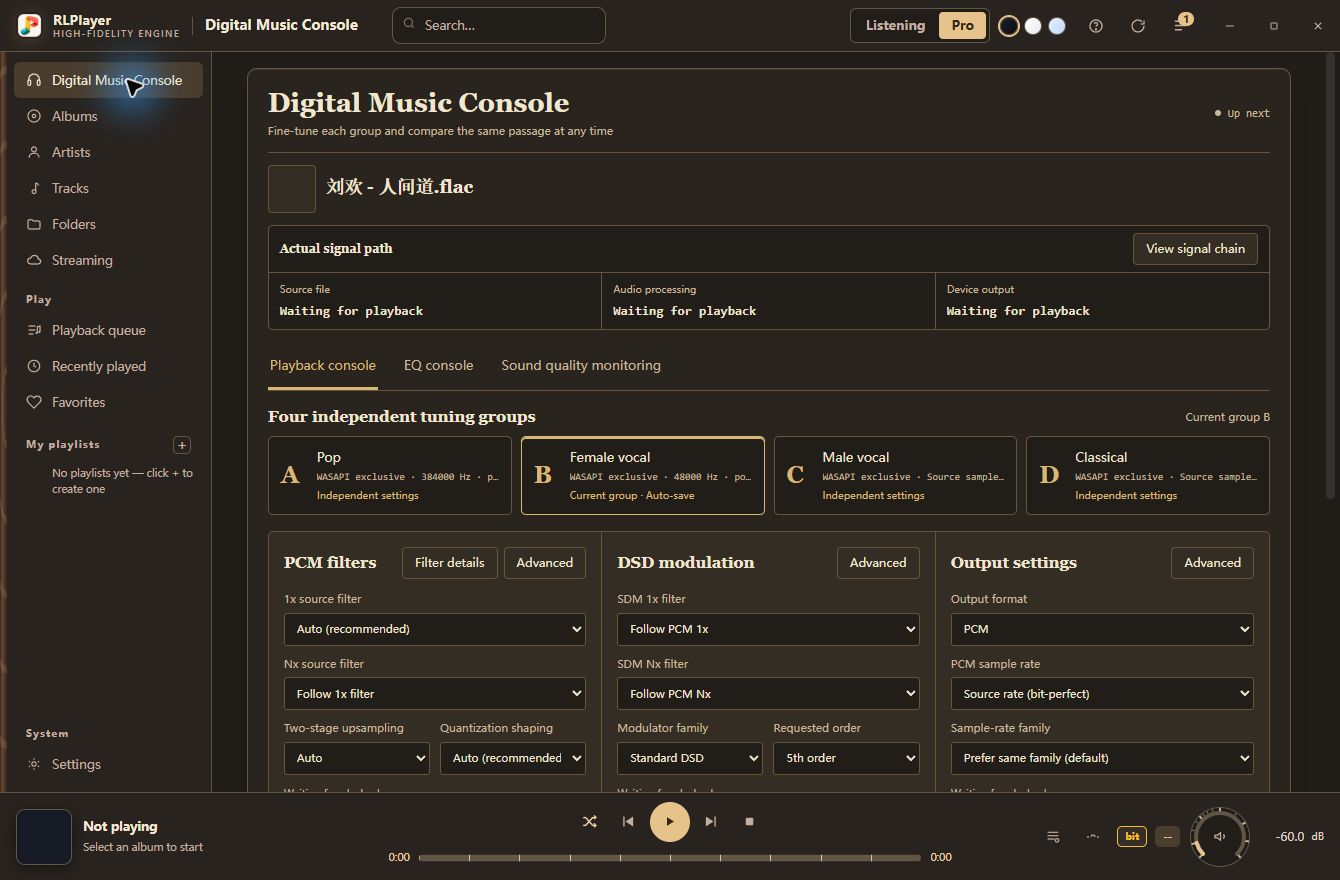
Different music.
A setup for each.
Save distinct setups for pop, vocals and classical music. Switch the whole setup for the next track, without adjusting each setting again.
Output device · Upsampling and filters · DSD modulation
The EQ editor is independent; A—D can recall saved EQ configurations.
02 / FOLLOW EVERY DETAIL
From the source, to your ears.
Unlock more
from your hardware.
Explore filters, upsampling and modulation, with GPU acceleration for suitable parallel workloads. Each choice comes with designs and specifications you can inspect.
- Filter presets
- 79presets
- PCM upsampling
- 1536kHz
- DSD modulation
- 1024×
- GPU acceleration
- AMD / NVIDIA
Maximum formats and available processing paths depend on your device, drivers and computing power. See the measurement documentation for test conditions.
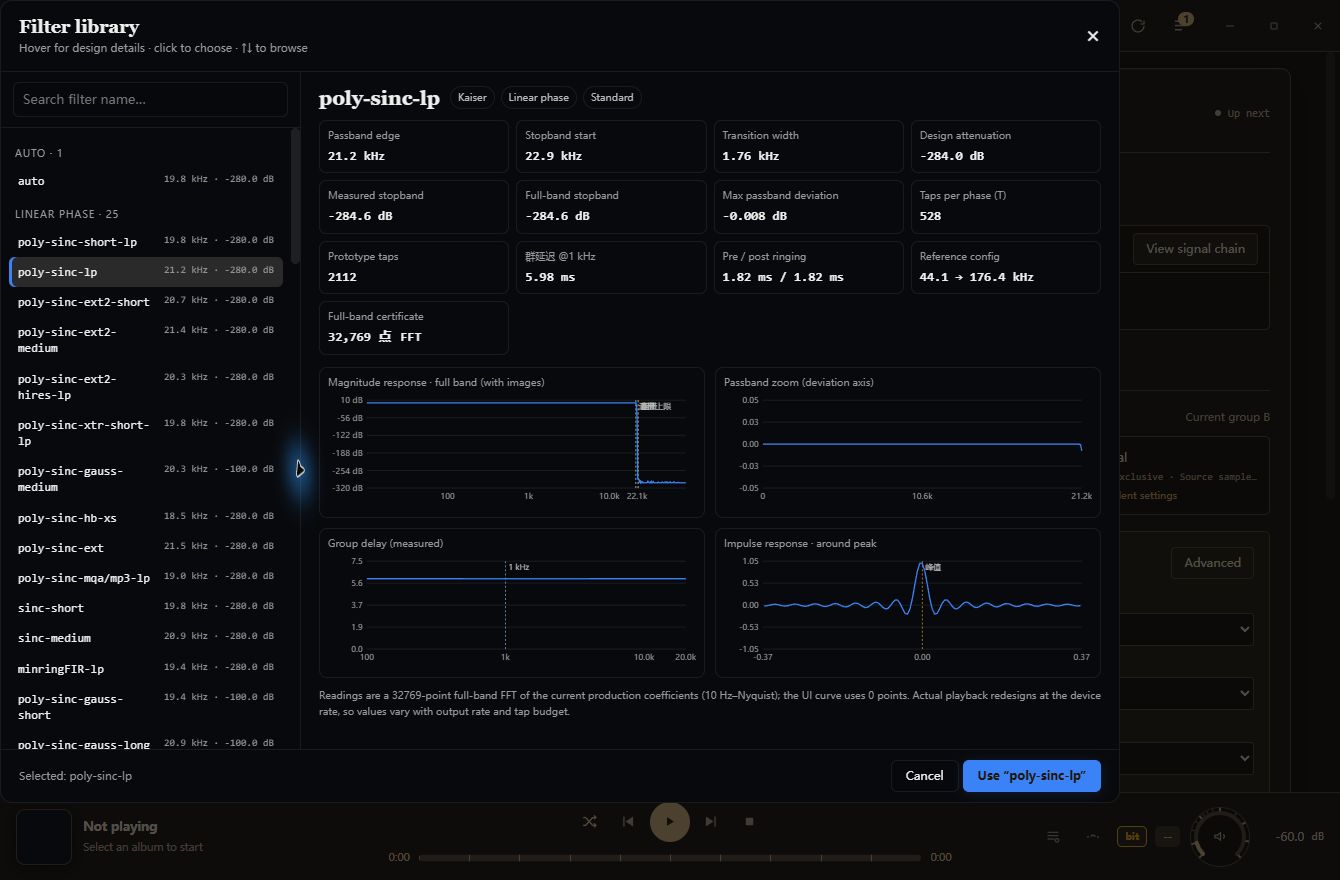
Behind what you hear,
see every detail.
See every stage, from the playback path to audio monitoring. Inspect processing states and key readings to make informed, confident adjustments.
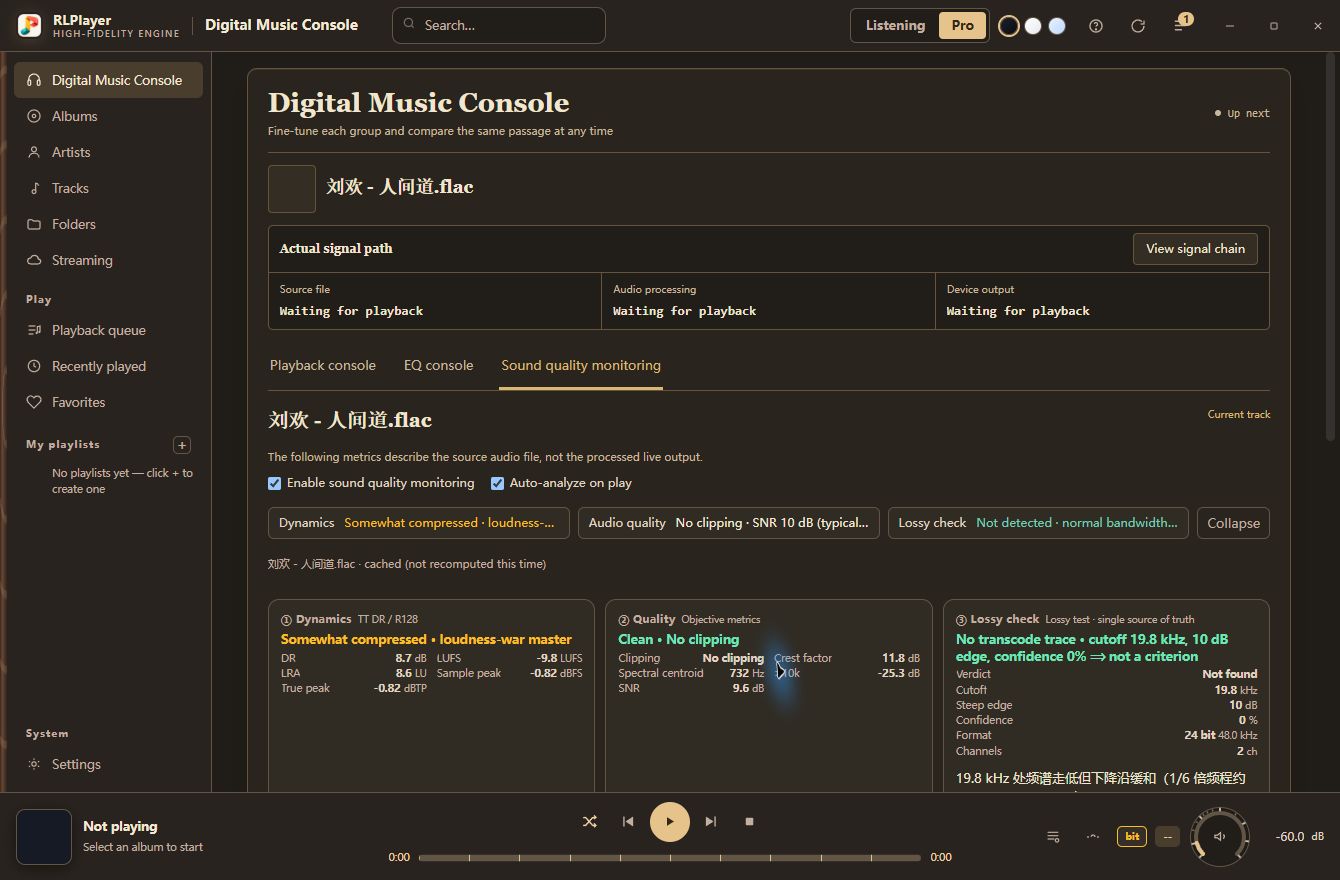
Great sound,
beyond your computer.
Send processed music over your local network to compatible streamers and speakers. Upsampling and sound adjustments are available for UPnP / DLNA playback too.
Supported receiving formats depend on the network device. Check the receiving device to confirm actual playback.
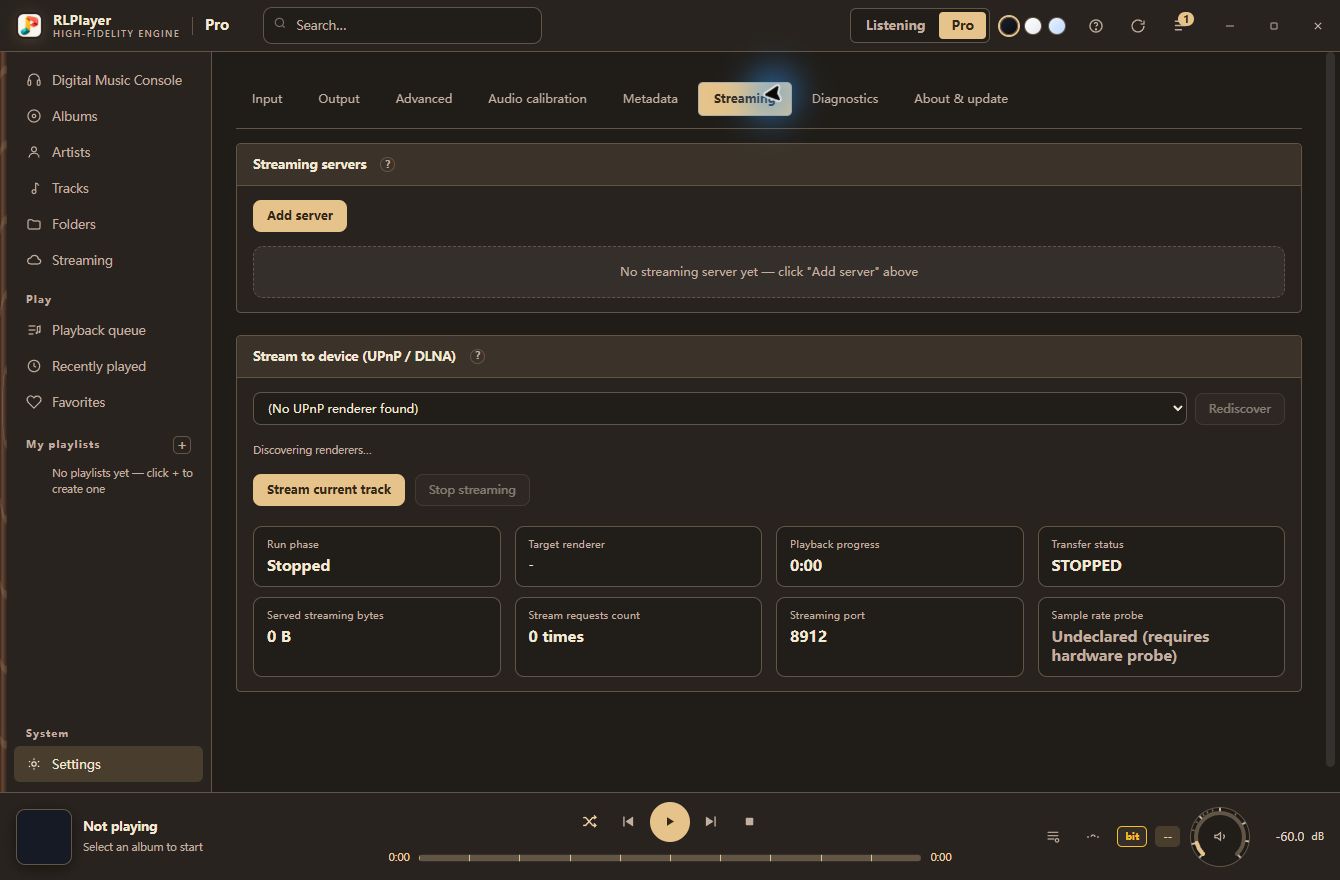
03 / OPEN TO EXAMINATION
Every parameter,
open to examination.
Make your choices informed.
From design notes to filter responses, test conditions to practical limits. Understand each choice through published documentation. Let your ears decide what you enjoy.
Start your music workbenchTechnology
Understand the algorithms, playback paths and design choices.
Measurements
Filter responses, parameter tables and measurement methods.
User guide
From your first track to your own setup.
Documents identify the archived version they cover. Algorithm measurements do not represent every device or complete system configuration.
Open source code GPL-3.0-or-later↗